Product
A sizing workbench that shows its work
ANVIL automates the size, simulate, read, adjust loop for standard analog amplifiers. It runs the simulations itself, reports the worst case across corners, and keeps every number connected to the netlist and simulator output it came from.
Features in the beta
Available
Two amplifier topologies
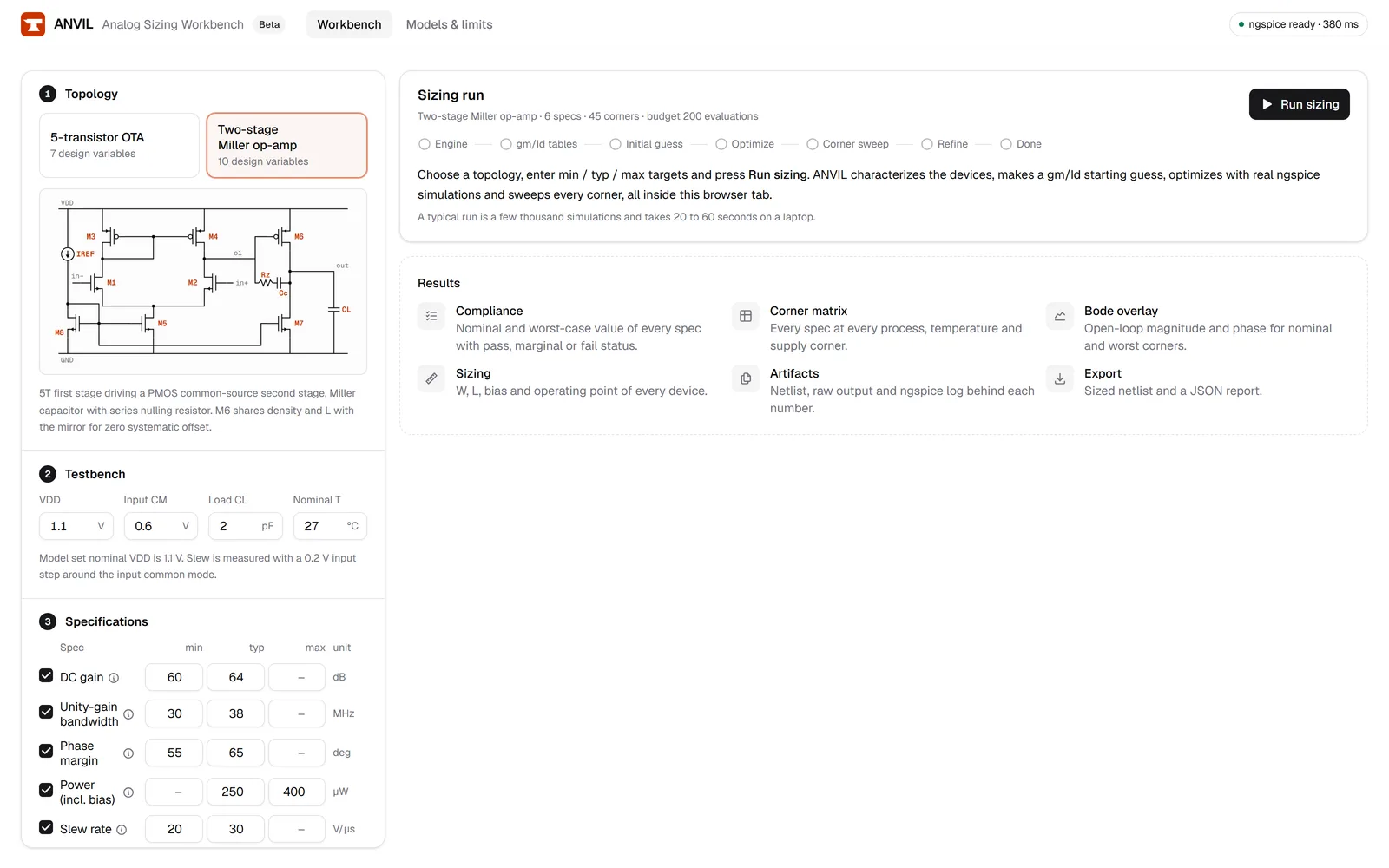
A five-transistor OTA (differential pair, current-mirror load, tail current source) and a two-stage Miller-compensated op-amp. The docs describe each one and the device parameters the loop is allowed to change.
Available
Spec entry with units
Min and max limits, plus an optional typical aim, for DC gain (dB), unity-gain bandwidth (MHz), phase margin (degrees), power including bias (µW), slew rate (V/µs) and output swing (Vpp). A power limit is a ceiling and a gain limit is a floor.
Available
Automated sizing loop
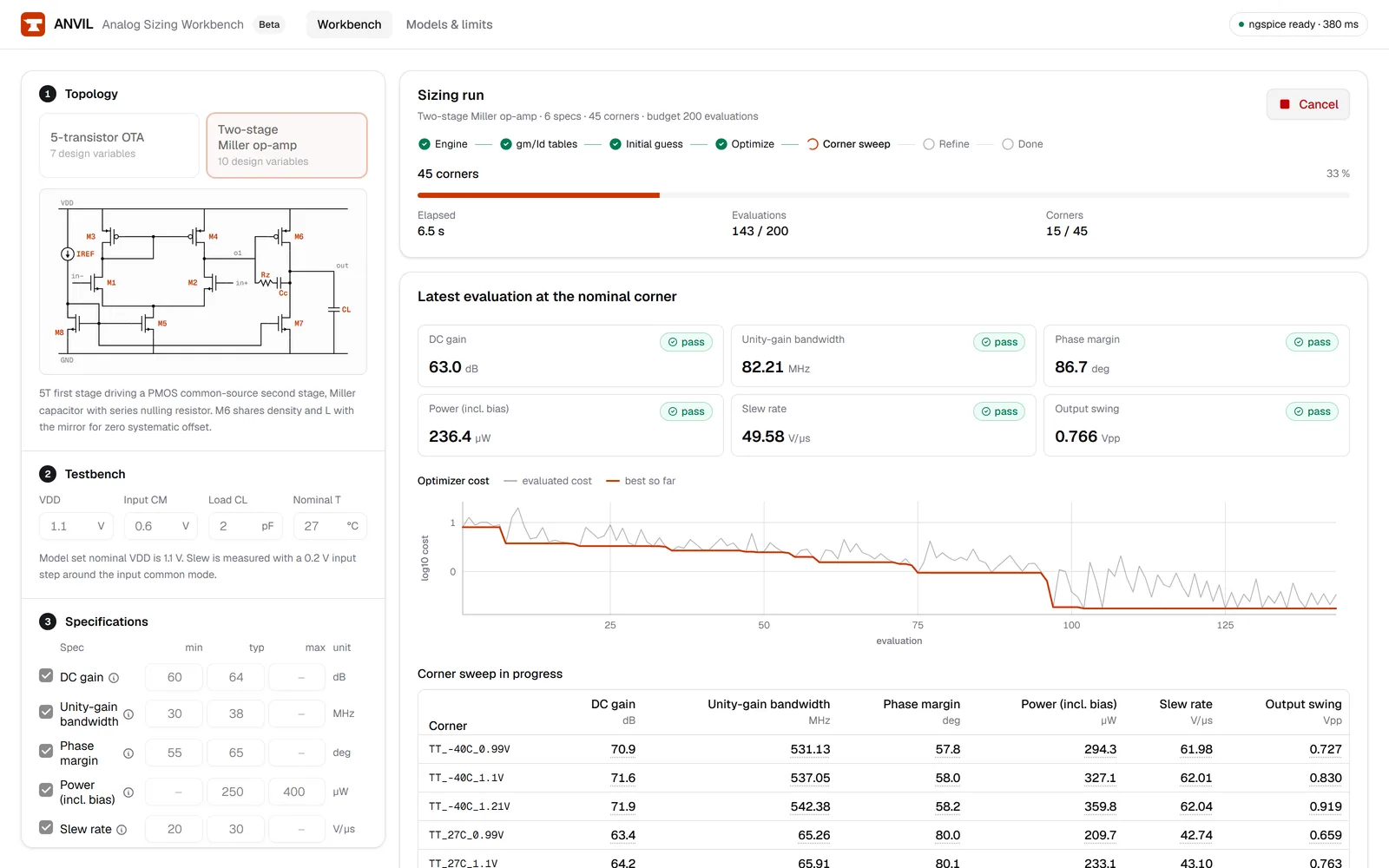
gm/Id tables and a hand-analysis estimate seed a bounded Nelder-Mead optimizer, which sizes the devices toward your typical aims at the nominal corner and then minimizes power. It stops at its evaluation budget or when it converges. If a spec then fails at a corner, the loop re-optimizes against those corners, up to three rounds.
Available
Real ngspice, in your browser
Every measurement comes from ngspice-45.2 compiled to WebAssembly and run in a Web Worker in your browser tab. Operating point, AC, DC sweep and transient analyses run locally. There is nothing to install and no account to create.
Available
Process, temperature and supply corners
The best design is simulated at every corner you select: by default 45, from five synthetic process corners (TT, FF, SS, FS, SF) at −40, 27 and 125 °C and VDD ±10%. The process corners shift the predictive models; they are not foundry corners. Each spec is graded on its worst corner.
Available
Traceable compliance table
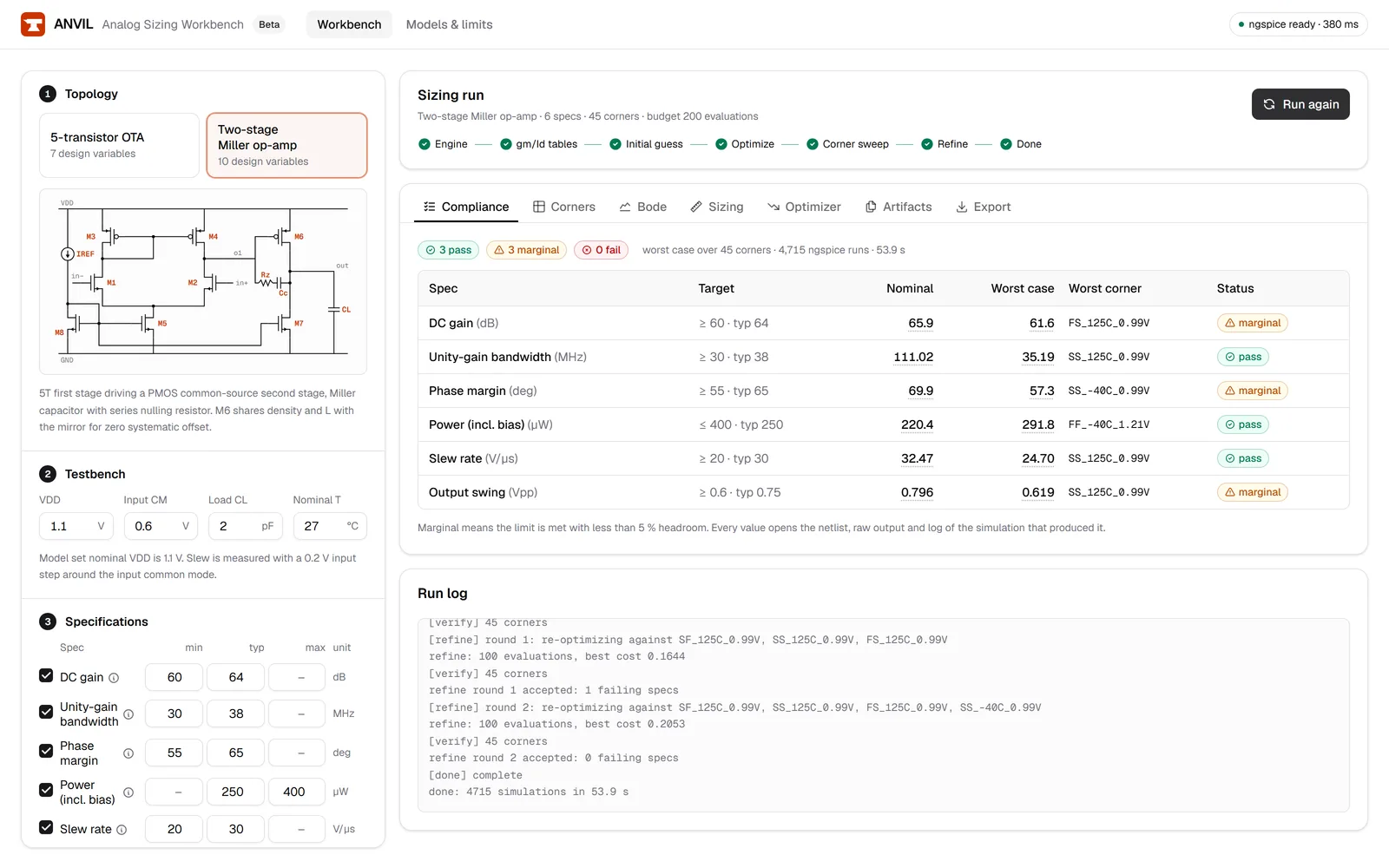
For every spec the table shows the limit, the nominal value, the worst value, the corner it occurred at, and pass, marginal or fail. Marginal means the limit is met with less than 5% headroom. Each value links to the exact netlist and the raw simulator output of the run that produced it.
Available
Bode plot and sizing table
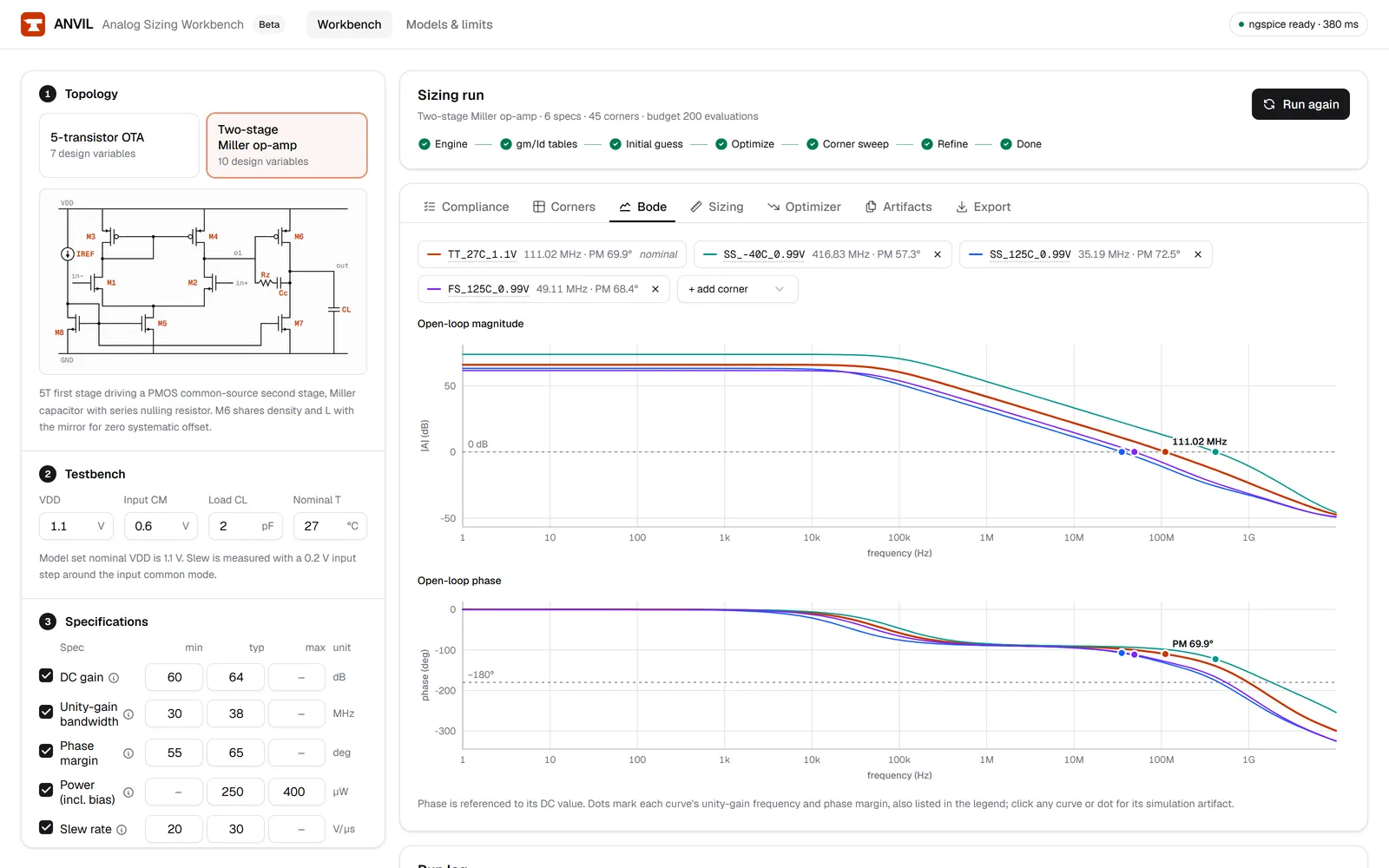
The open-loop magnitude and phase of the final design, and a table of every transistor's width and length together with the bias settings the loop chose.
Available
Netlist and JSON report downloads
Download the sized netlist, a standalone ngspice deck with its testbench and measurement checks, to simulate it in your own tools, and a JSON report with the specs, final sizes, operating point, per-corner measurements and optimizer trace for scripts, reviews or your records.
Available
Open models, stated limits
Simulations use the open FreePDK45 PTM 45 nm predictive MOSFET models, not a foundry PDK. The models section says exactly what that does and does not let you conclude.
Screens
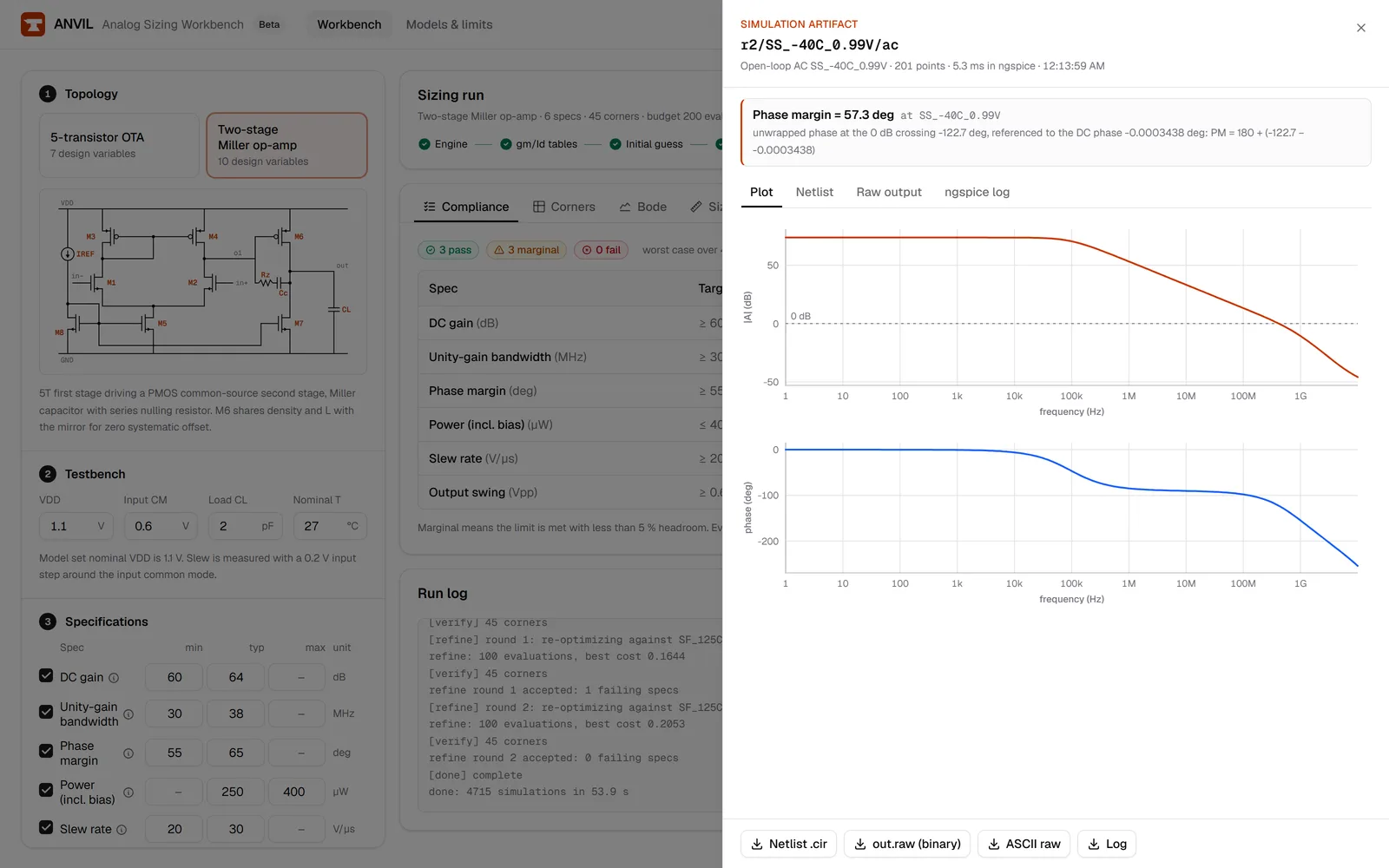
Why every number links to a simulation
Sizing results usually reach a review as a table of numbers with no record of which netlist, model or corner produced them. When someone asks where a phase margin came from, the answer is a rerun. ANVIL stores the netlist and simulator output for each measurement it reports and links them from the number itself. A reviewer can open the run, read the deck, and check the measurement in seconds.